Hello,
In this guide you will find explanations about our sleep monitor and how to use it.
The monitor was built to record sleep periods with the "highest possible accuracy"
Guide Topics
- What is an accelerometer?
- How to use the monitor?
- What is the sleep monitor for?
- What is a smart alarm?
- Importance and usefulness of the sleep diary
- Meet our dream journal
- Other usage instructions
The sleep monitor uses data from your phone's accelerometer to detect movements and estimate times during the beginning, middle, and end of your sleep period.
What is an accelerometer?
An accelerometer is a sensor that measures the acceleration of an object.
It sits inside your smartphone and can sense when you move, tilt, or vibrate it. One example of its usefulness is when you rotate your phone to watch a video in landscape mode, the accelerometer detects the position change and makes the screen rotate automatically.
Accelerometers are also used to deploy car airbags, in airplanes to help with flight control, among other applications. In short, the accelerometer is a "motion sensor" that helps devices understand how they are being moved.
How to use the monitor?
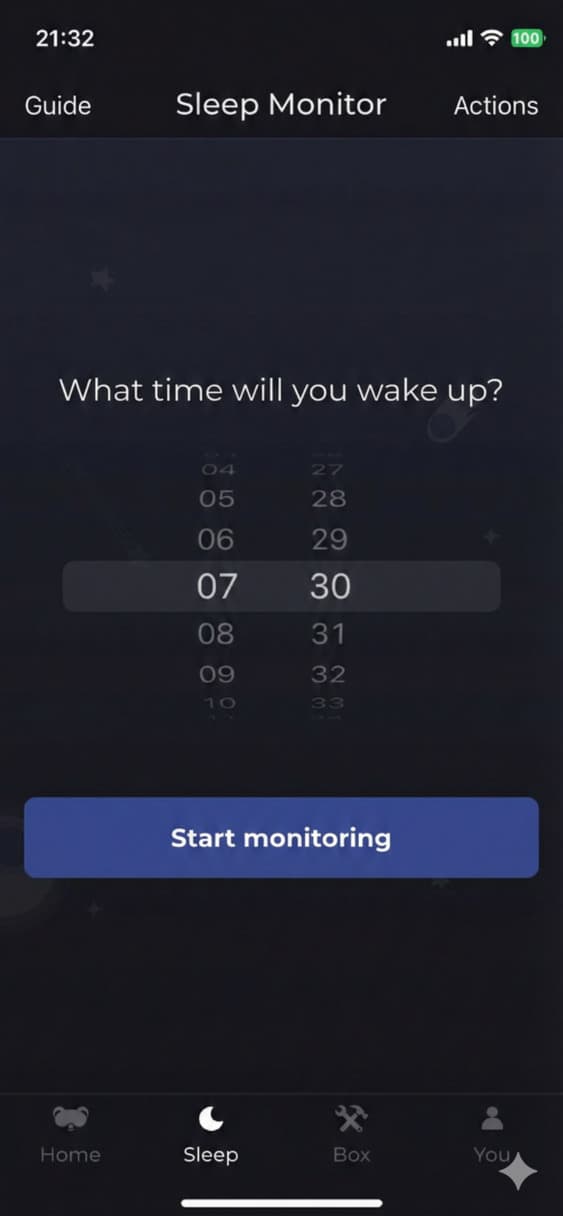
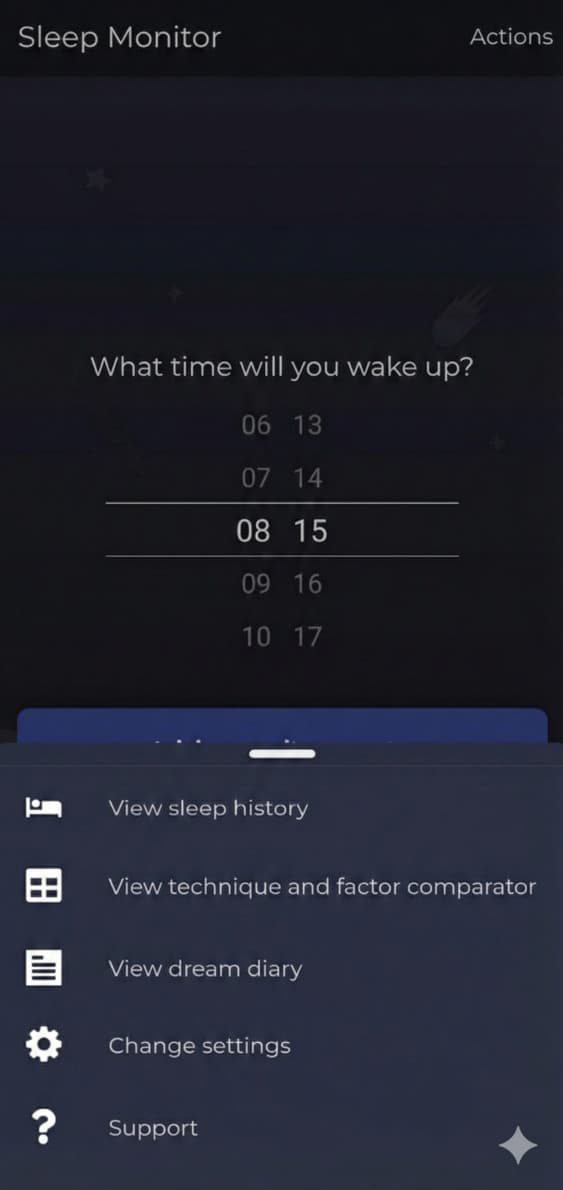
To use the sleep monitor, simply set the time you want to wake up and click "Start monitoring".
What is the sleep monitor for?
For us at Vigilantes, one of the objectives is to pre-fill your sleep diary, with the idea of making your life easier.
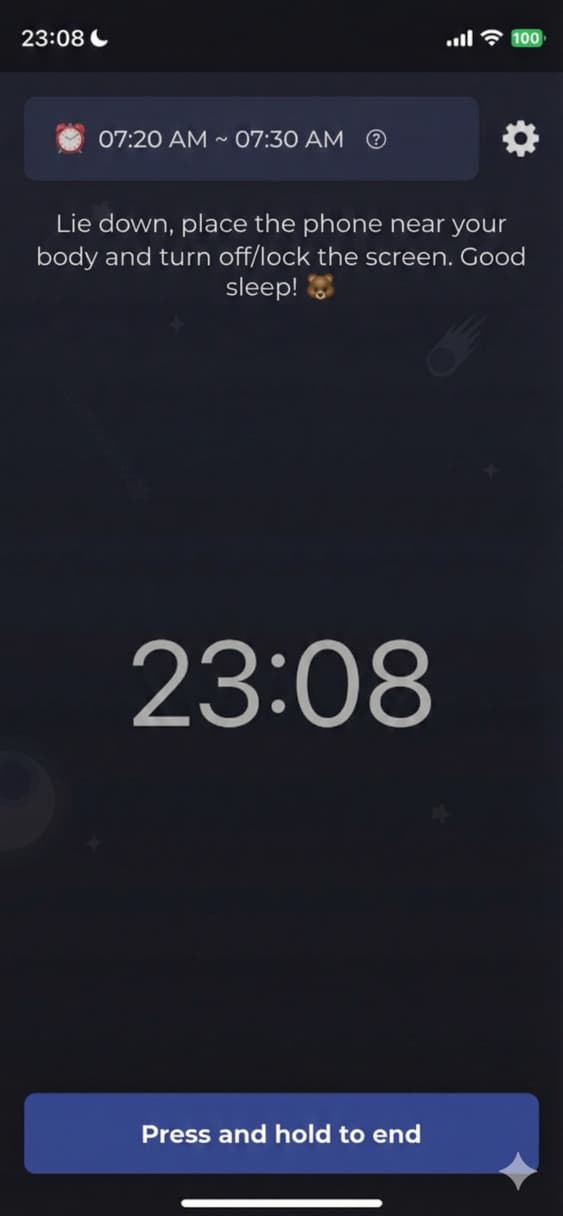
When you wake up definitively, when you press the button to end the monitor (which you need to hold for 3 seconds), you can check times and number of detected movements, evaluating if they coincide with your perception of time resting before falling asleep, or possible awakenings.
This is because we are not necessarily awake every time we move, and vice versa. But moving a lot can indicate sleep fragmentation, even if there is no conscious awareness.
Another objective of the monitor includes detecting snoring or noise episodes.
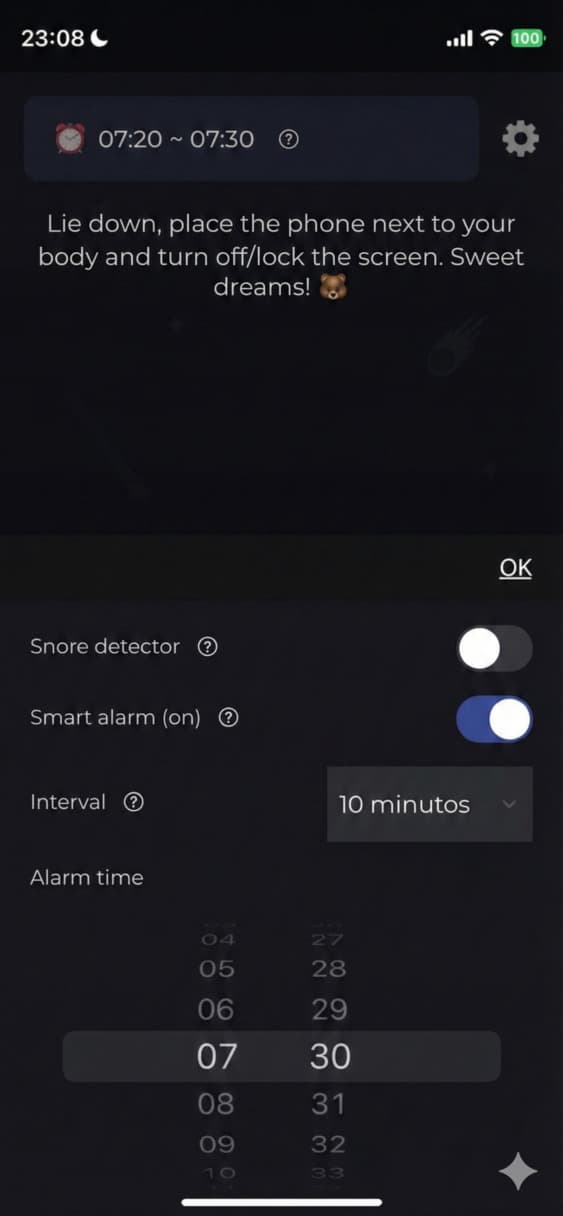
After starting the monitor for the first time, you will need to access the settings tab to turn on the snore detector, in the upper right corner. Then, you will receive a notification to authorize the use of the microphone by Vigilantes, and you're ready!
And besides the snore detector, the monitor has a smart alarm, described below.
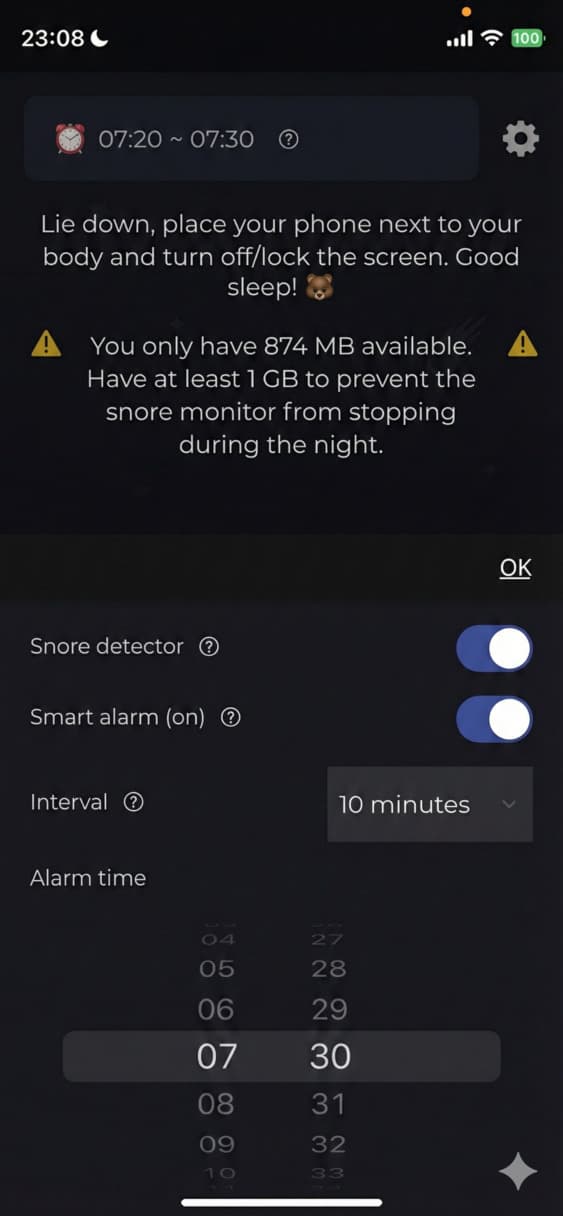
What you may have noticed in the third image was a warning message informing about the available memory space on your phone.
For the snore detector to work, at least 1 gigabyte of available memory on your phone is needed. This is because my system saves snippets (of noise) for you to listen to after waking up and ending the monitor, when you can also check the number of episodes and total snoring time analyzed in your sleep diary.
I said noise because the snore detector doesn't always get it right. There are certain types of noise, like those from some fans, that are difficult for my system to differentiate.
What is a smart alarm?
It works like a normal alarm clock, but in addition to using movement detection to gradually wake you up, it has soft music that progressively increases in volume.
We follow recommendations from some studies that observed that the type of alarm sound can influence your mood upon waking.
As for gradually waking you up, here's the thing:
Our brain has a process of briefly waking up between sleep cycles. In each cycle we go through different phases and they repeat 4 to 6 times in a sleep period of approximately 7 to 8 hours. It's common to start moving between these cycles and a few minutes before waking up, even before we regain consciousness.
So, to wake you up at the best possible moment, if you start moving before your set wake-up time, the smart alarm kicks in, before a new sleep cycle begins and it becomes harder to open your eyes.
There are studies that demonstrate this. Waking up between sleep cycles is easier and brings more well-being than waking up after a new cycle has begun, as you may be in deeper sleep, which comes with a feeling of more inertia and tiredness when getting up.
Is it mandatory to use the sleep monitor?
No, it's not mandatory to use the sleep monitor, nor the snore detector or smart alarm.
You can fill out sleep diaries manually if you prefer.
Understand the importance and usefulness of the sleep diary
For those doing the Insomnia Journey, the use of the sleep diary is sine qua non!
That is, it's necessary, essential!
Without a sleep diary, I, Sonia, who am a little bear robot, cannot do the mathematical calculations to plan the best sleep window for you. That is, the time interval and schedules you need to stay in bed during sleep restriction cycles.
What are sleep restriction cycles?
Part of the Insomnia Journey, they make up our therapeutic program based on Cognitive Behavioral Therapy for Insomnia (CBT-I).
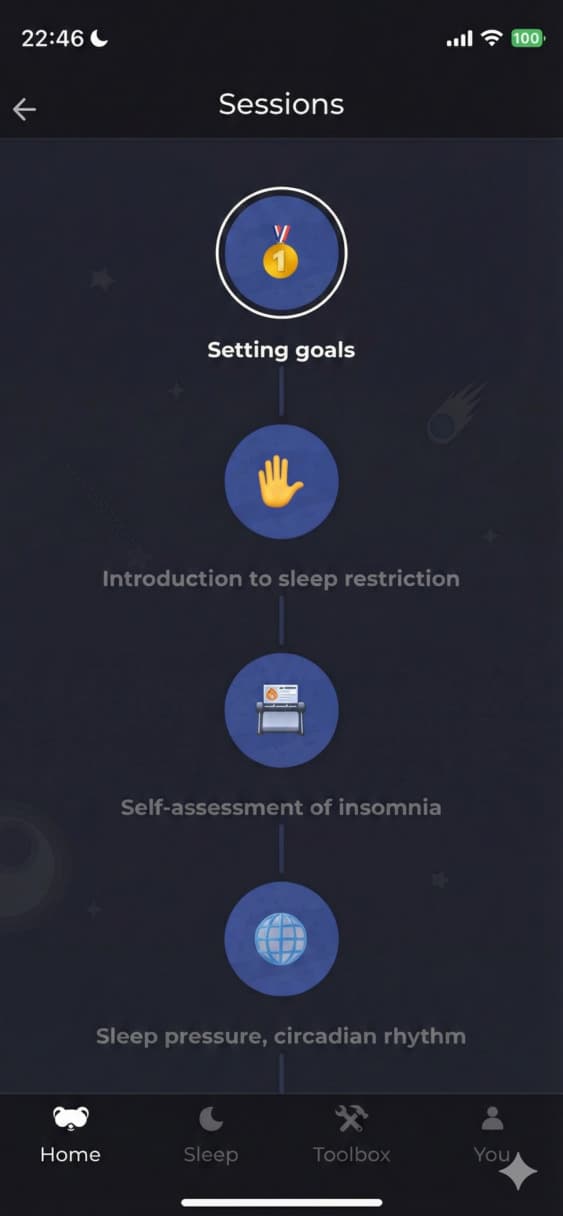
You can find explanations of how it works in the first sessions of the journey, for free, regardless of license.
Read on to learn how to get the complete program by volunteering in research.
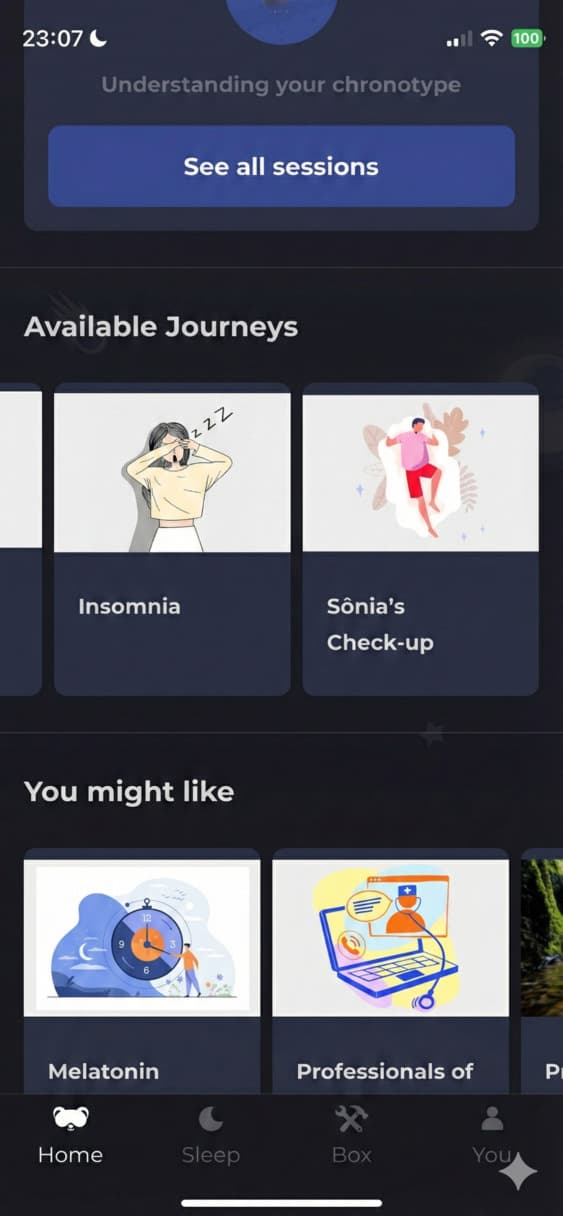
The use of the diary as a tool to improve sleep quality and well-being is not restricted to the insomnia journey or to people who suffer from chronic insomnia.
It's interesting to track a temporal evolution of sleep patterns while evaluating day-to-day factors that influence its quantity and quality, which are quite different things!
You can have sufficient sleep quantity - generally 7 to 9 hours for adults - and still have low quality, whether due to fragmentation or superficialization of sleep stages.
Customizing your sleep diary
You can customize your diary settings, including the factors of your days and nights that will be tracked, such as alcohol consumption, caffeine, exercise, medication use, as well as the presence of pain, noise, or other sleep interruptors.
The idea is to evaluate how each factor modifies your physical and mental well-being over time, tracking statistics on how they also influence your perception of your sleep and your energy levels.
Have you heard of a dream journal?
It's like a dream diary. A history of notes about what is experienced during sleep, particularly recording dreams with their significant keywords.
Studying significant keywords that appear in dreams can lead us to opening associative memory chains, which has everything to do with creativity.
Okay, you might be wondering, what do you mean?
Our creative capacity and problem-solving ability depends on remembering what we already know and have learned in life. It depends even more on the connections we make between these memories. The thing is, this process of connecting memories to store them only occurs while we are sleeping and dreaming.
When, through dream analysis, we find that moment of knowing how we store our own memories, I can say that in psychology this is called insight, or closing a gestalt, as a moment when we elaborate something, creatively!
Other usage instructions
It's important to remember that after waking up, you need to press and hold the button for 3 seconds to turn off the sleep monitor.
Only then is the raw recorded data sent to my system so I can do the calculations and generate the statistics that will appear analyzed for you, starting with the probable time you started sleeping, after having stopped moving for a minimum time.
After the 3 seconds, the pre-filled sleep diary page will appear with the already processed data. At that point, you can make edits if you deem necessary.
Regarding the snore detector, it needs to be activated after you start the monitor. The next day, when you check your night's information, it will indicate if you snored and for how long.
In the upper corner of the screen, we have a button called "Actions". There you can see your sleep history (which appears as you record your nights), you can compare techniques learned in our journeys, you can record your dreams in the "Dream Journal" and change your sleep diary settings. These settings will serve for you to choose what you want and don't want to appear in your diary every day.
There you can also set the bedtime reminder and whether or not you want to receive the reminder to fill out the diary!
It's important to note that for a more consistent sleep assessment, it's necessary to record night data on consecutive days, but it's really quick!